Anything Search
Lightning-Fast File Search for Windows
Find any file on your computer instantly. Index over 1 million files in under 2 minutes. The modern, privacy-focused alternative to Windows Search.
Frustrated with Windows Search?
You're not alone. Millions of users struggle daily with slow, unreliable file searches.
- Windows Search takes minutes to find files
- Often misses files you know exist
- Consumes excessive CPU and memory
- Cluttered results with web suggestions
Meet Anything Search
Purpose-built for speed, simplicity, and reliability.
- Results appear instantly as you type
- Indexes every file on your system
- Uses minimal resources in background
- Clean interface with files only
Anything Search vs Everything vs Windows Search
See how Anything Search compares to popular alternatives
| Feature |
🔍
Anything Search
Recommended
|
📁
Everything
|
🪟
Windows Search
|
|---|---|---|---|
| Search Speed | ✓ Instant (<100ms) | ✓ Instant | ✗ Slow (seconds to minutes) |
| Index Speed | ✓ <2 minutes (1M files) | ✓ 1-2 minutes | ✗ Hours to days |
| Modern UI (Windows 11 Style) | ✓ Native W11 Design | ~ Classic/Dated | ✓ Native |
| System Tray Integration | ✓ Full Support | ✓ Supported | ✗ Not Available |
| Recent Searches History | ✓ Built-in | ✗ Not Available | ~ Limited |
| Real-time File Monitoring | ✓ Auto-Watch | ✓ NTFS Journal | ~ Delayed |
| Microsoft Store | ✓ Available | ✗ Manual Install | ✓ Pre-installed |
| Auto Updates | ✓ Via Store | ~ Manual Check | ✓ Windows Update |
| Context Menu Actions | ✓ Full Suite | ✓ Available | ~ Limited |
| Privacy (No Telemetry) | ✓ 100% Offline | ✓ Offline | ✗ Sends Data |
| Database Size (1M files) | ✓ ~200MB (Optimized) | ~ ~300-500MB | ✗ 1GB+ |
| Price | ✓ Free | ✓ Free | ✓ Free |
Why Choose Anything Search?
While Everything by voidtools is an excellent tool that pioneered instant file search, Anything Search brings the experience into the modern era with a polished Windows 11 interface, seamless Microsoft Store integration, recent search history, and automatic updates. It's the perfect choice for users who want power and polish together.
Everything You Need. Nothing You Don't.
Powerful features wrapped in a simple, intuitive interface
Instant Search
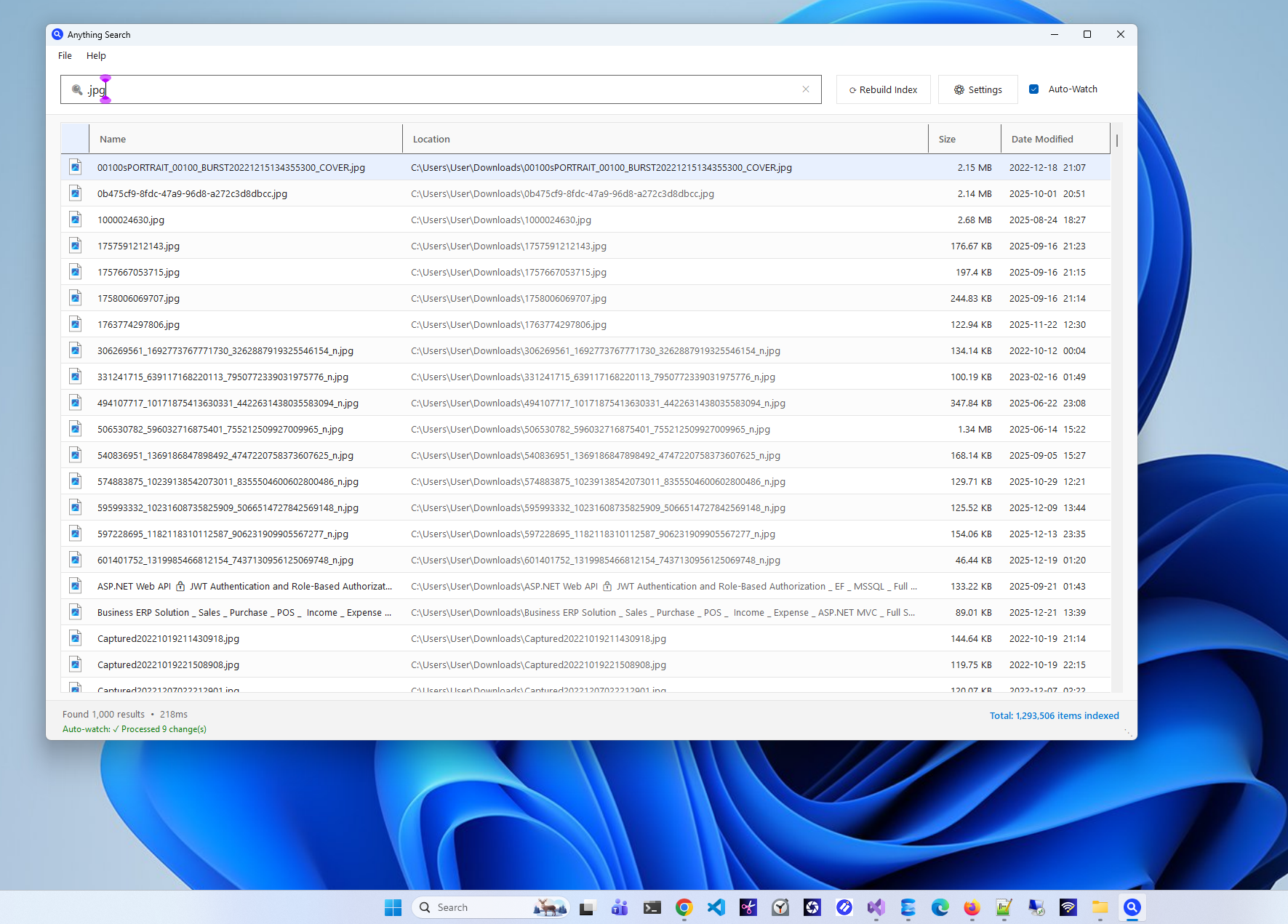
Results appear as you type with intelligent 300ms debounce. Find files among millions in milliseconds.
- Real-time results
- Fuzzy matching
- 1,000+ instant results
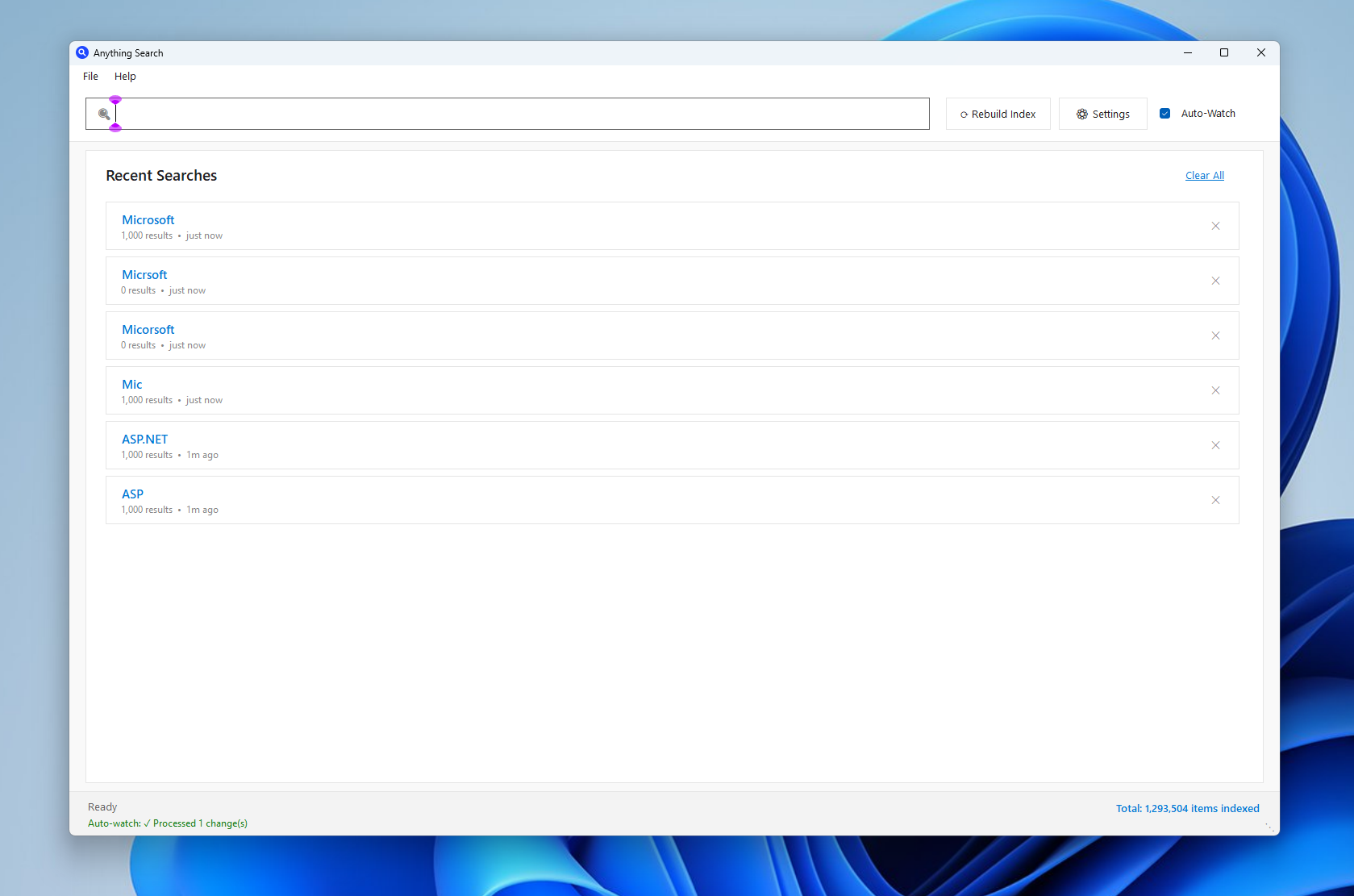
- Search history
Smart Indexing
Parallel indexing across all drives. Background processing that won't slow down your work.
- Parallel drive indexing
- Background processing
- Auto-updates on changes
- Optimized storage
Modern Interface
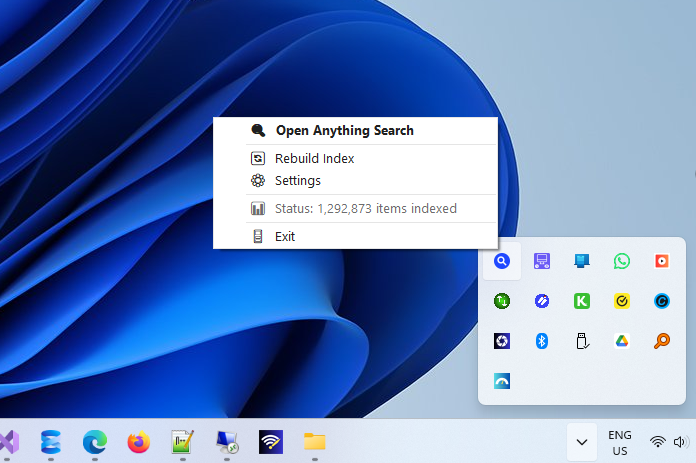
Beautiful Windows 11 design with responsive layout. System tray support for background running.
- Windows 11 design
- System tray
- Keyboard shortcuts
- Responsive layout
Powerful Tools
Right-click context menu for quick actions. Open, copy, delete files directly from results.
- Open files directly
- Copy path/name
- View properties
- Delete from results
Privacy Focused
100% offline operation. No telemetry, no data collection, no ads. Your files stay on your device.
- 100% offline
- No telemetry
- No data collection
- No ads ever
Lightweight
Minimal RAM and CPU usage. Fast startup and efficient background processing.
- Small footprint
- Low CPU usage
- Fast startup
- Efficient database
Up and Running in 2 Minutes
Simple setup, powerful results
Download & Install
Get Anything Search free from the Microsoft Store. One-click install with automatic updates.
Automatic Indexing
First launch triggers background indexing. All drives are indexed in parallel for speed.
Search Instantly
Start typing to find files. Results appear in real-time as you type each character.
Open & Manage
Double-click to open files. Right-click for actions like copy path, open location, or delete.
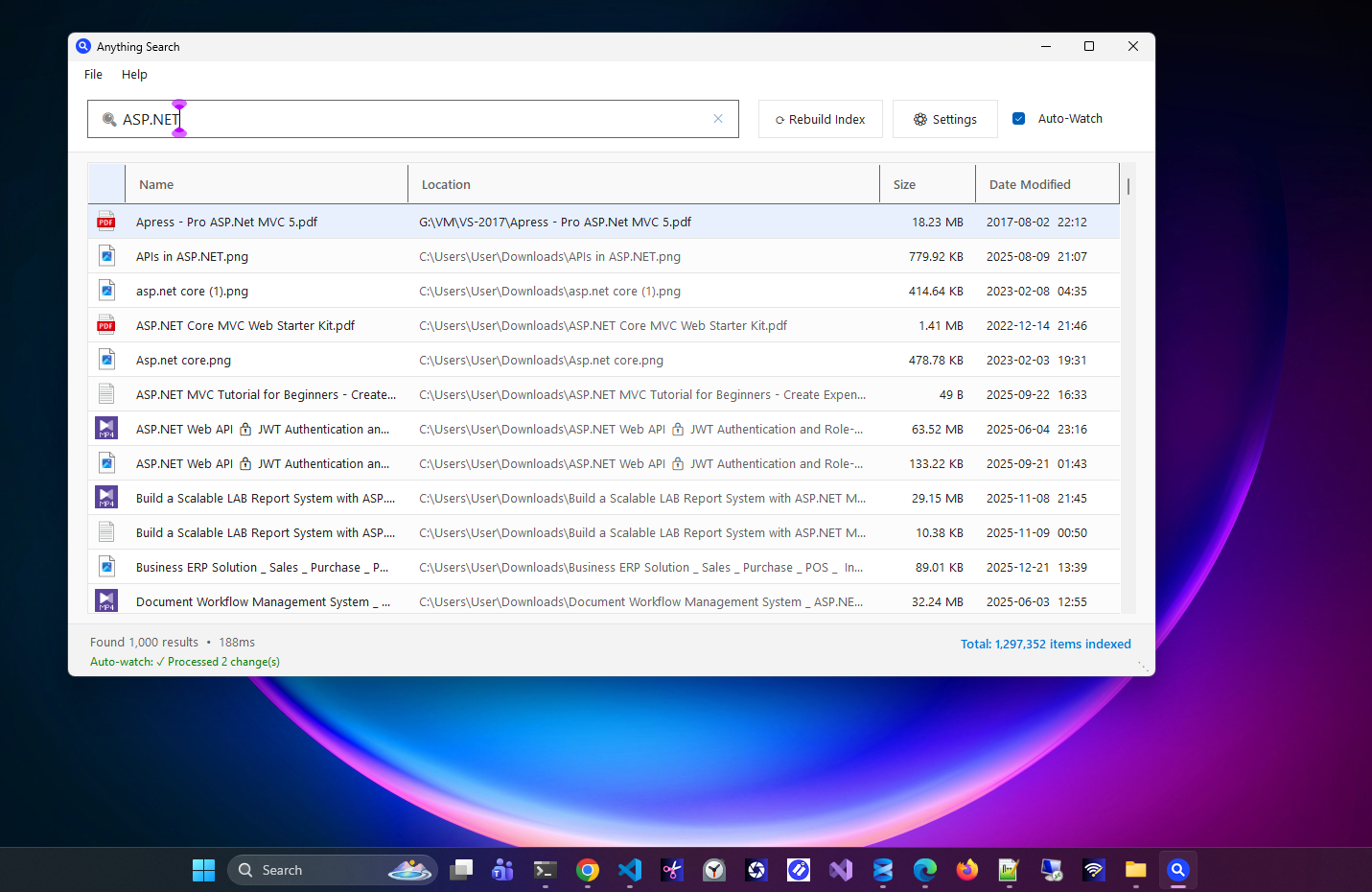
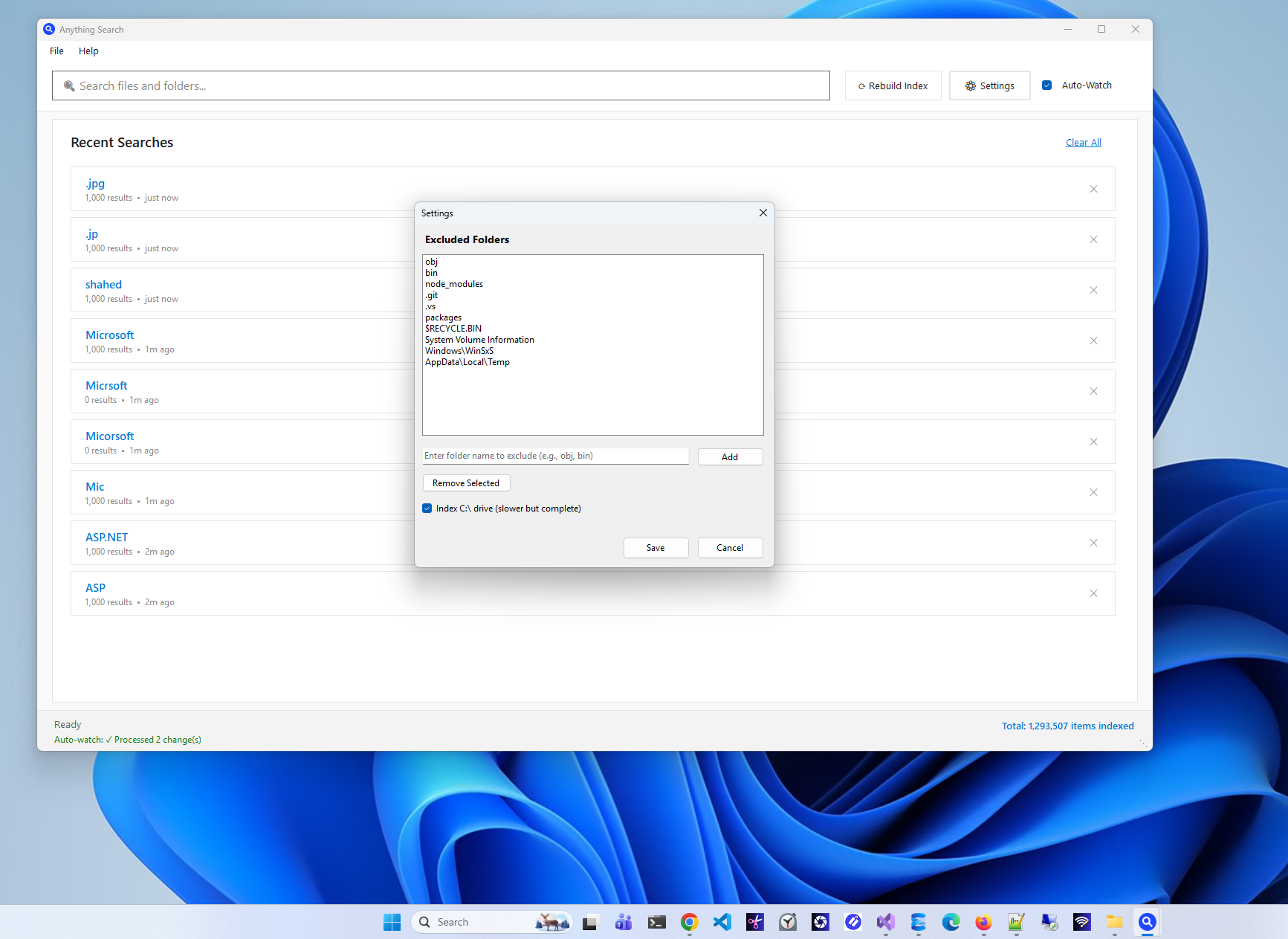
See It in Action
Beautiful interface, powerful functionality
Technical Specifications
Built with modern technology for optimal performance
System Requirements
- OS: Windows 10 (1809+) or Windows 11
- Architecture: x64, ARM64
- RAM: 4 GB minimum (8 GB recommended)
- Storage: 100 MB + database
- Framework: .NET 8.0 (included)
Performance
- Index Speed: 1M+ files in <2 minutes
- Search Speed: <100ms response time
- Database: SQLite with FTS5
- DB Size: ~200MB for 1M files
- RAM Usage: ~50-100MB typical
Security & Privacy
- Data Collection: None
- Telemetry: Disabled
- Network: 100% Offline
- Permissions: File system only
- Verification: Microsoft Store certified
Technology Stack
- Framework: .NET 8.0
- UI: WinForms (Modern styled)
- Database: SQLite 3
- Search: FTS5 Full-text search
- File Watch: FileSystemWatcher
Frequently Asked Questions
Quick answers to common questions
Yes! Anything Search is completely free to download and use. There are no premium tiers, no ads, no in-app purchases, and no hidden costs. We believe fast file search should be accessible to everyone.
Everything by voidtools is an excellent tool that pioneered instant file search. Anything Search offers comparable speed with additional benefits:
- Modern Windows 11 interface design
- Built-in recent searches history
- Microsoft Store distribution with auto-updates
- Cleaner, more polished user experience
If you prefer a more modern interface and easier installation, Anything Search is the better choice.
No. Anything Search is 100% privacy-focused:
- All indexing happens locally on your device
- No data is ever uploaded to external servers
- No telemetry or usage tracking
- No internet connection required after installation
Your files and search history never leave your computer.
Initial indexing typically takes 1-2 minutes for most systems. The exact time depends on:
- Number of files on your system
- Drive speed (SSD vs HDD)
- Number of drives
For reference, indexing 1 million files on an SSD takes under 2 minutes. After initial indexing, the database stays up-to-date automatically.
Yes! In Settings, you can configure folders to exclude from indexing. Common exclusions include:
- System folders (automatically excluded)
- Temporary folders
- node_modules and other dependency folders
- Any custom folders you specify
No. Anything Search is designed to be lightweight:
- Typical RAM usage: 50-100MB
- Minimal CPU usage when idle
- Background indexing doesn't affect foreground tasks
- File monitoring is efficient and event-based
You can run it in the system tray and forget about it until you need to search.
What's New
Latest updates and improvements
Initial Release 🎉
🚀 Core Features
- Lightning-fast file search across all drives
- Real-time search results as you type
- Background indexing with minimal CPU usage
- Modern Windows 11-style user interface
⚡ Performance
- Index 1+ million files in under 2 minutes
- Search results in milliseconds
- Optimized SQLite database (60% smaller)
- Parallel drive indexing for faster setup
🎨 User Interface
- Clean, modern design matching Windows 11
- System tray integration for quick access
- Recent searches history panel
- Context menu with file actions
🔧 Smart Features
- Auto-watch for real-time file system updates
- Customizable excluded folders
- Keyboard shortcuts for power users
- Minimize to system tray
Ready to Find Your Files Instantly?
Download Anything Search free from the Microsoft Store and experience lightning-fast file search.

Zero Byte Software Solutions
We create powerful, user-friendly software solutions for Windows, Web, and Mobile platforms.
Visit our website →